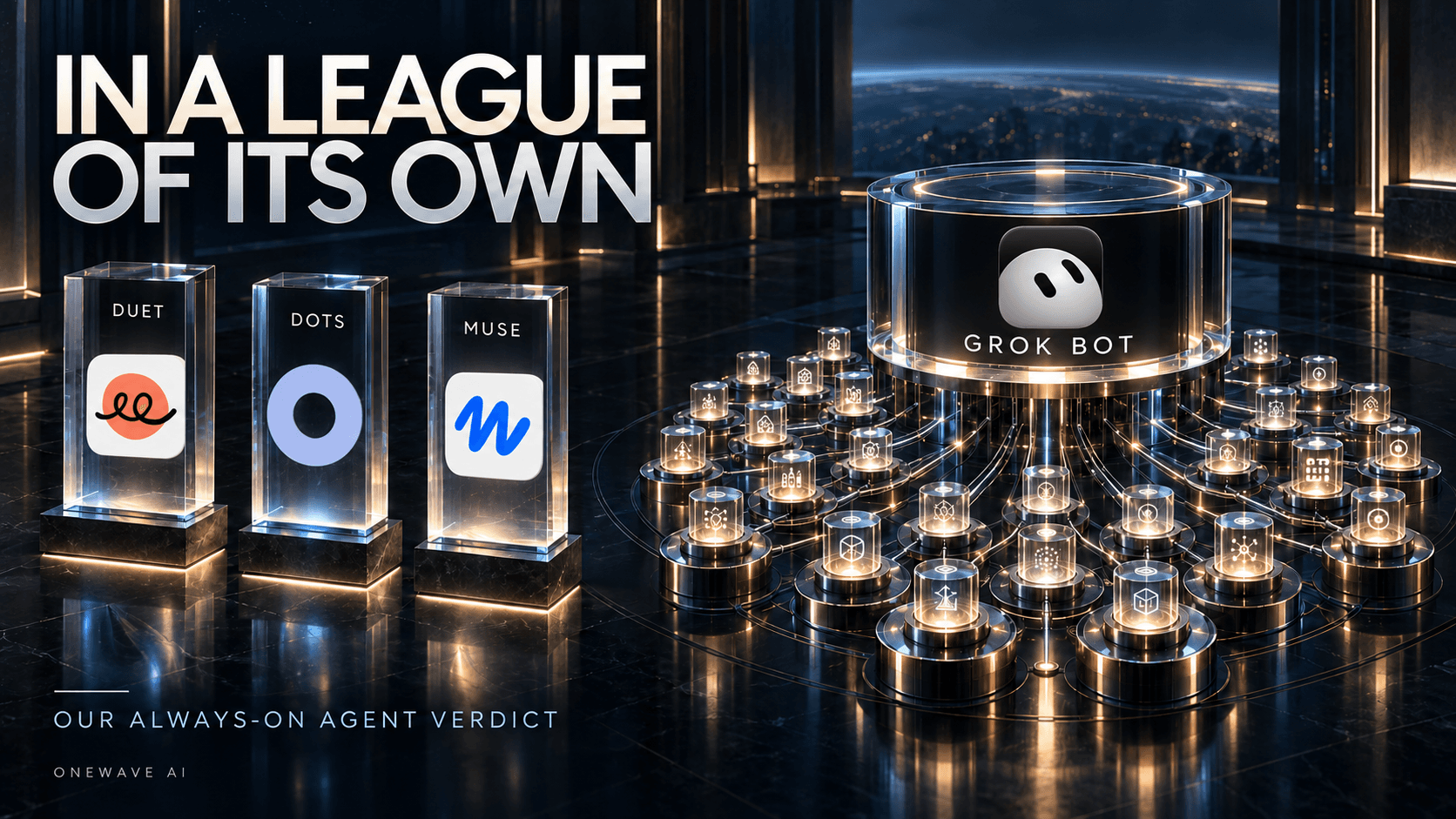




We have been testing Claude Duet, OpenAI Dots, Meta Muse, and Grok Bot. Our verdict is clear: Grok Bot is by far the best of the four for the way we work.All four are useful. All four make the idea of an always-on assistant feel practical. But Grok Bot feels like it is in a league of its own.
The difference is the team. Multiple bots, multiple conversations, specialists with their own responsibilities, and a chief of staff that coordinates them. One of our founders is already working with more than 30 Grok Bots. At that point, you start thinking differently about how much work you can hand off.
This is our hands-on feedback as of October 30, 2026, rather than a scored benchmark. We also looked for independent experiences that support, or challenge, what we are seeing.
Duet, Dots, and Muse are helpful. Grok Bot changes the structure.
We like all four products. Their interfaces are useful, and the way they communicate makes delegation feel natural. You can explain what you want, come back with a correction, and keep moving. That matters much more in daily use than another impressive demo.
In our experience, Duet, Dots, and Muse feel more similar to each other than they do to Grok Bot. They primarily feel like working with a personal assistant. Grok Bot lets us organize an actual team of assistants. That is the distinction behind our ranking; it is not a claim that the other products cannot delegate work or use specialist tools.




| Product | Our feedback |
|---|---|
| Claude Duet | Helpful, conversational, and useful for ongoing assistance. |
| OpenAI Dots | Useful for handing off ongoing work across the OpenAI ecosystem. |
| Meta Muse | A helpful personal assistant with an approachable interface. |
| Grok Bot | Our clear winner for coordinating multiple specialist bots through a chief of staff. |
Thirty bots become useful when you have someone managing them
Creating more bots is only the beginning. The useful part is giving them distinct jobs and having a coordinator own the outcome. A research bot can investigate a question while a content bot works on a draft and an operations bot checks what is blocking the next step. You can keep separate conversations, bring bots into a shared thread, and have the chief of staff pull the work together.
Those are examples of how we would divide responsibilities, rather than a list of everything our founder's 30-plus bots do. The important shift is that you can manage the result through one relationship while maintaining specialists underneath it. Grok Bot's official product page documents shared threads and bot-to-bot handoffs.
Start with Dr. Eggbot: the bot that builds your other bots
One of the most useful starting points is Dr. Eggbot, a shared Grok Bot created by Lauren. Its job is to design and create other Grok Bots. The public description says it asks a few preference questions, then creates focused coding or non-coding bots with one clear job, a defined voice, explicit boundaries, and tools suited to the role. You can find the template on its Dr. Eggbot share page.
That makes it a useful partner for getting a team started. You describe the work you want handled; Dr. Eggbot helps turn that into a specialist with specific instructions. The distinction is straightforward: Dr. Eggbot builds the team; your chief of staff coordinates the team's work. Those are separate responsibilities, even if you choose to connect them in the same workflow.
The first thing we would ask Grok Bot to do
Before inventing a list of bots, ask your main Grok Bot to review your email, calendar, and other connected tools. Have it look for the work you repeat, the follow-ups you keep managing, and the responsibilities that would benefit from a dedicated specialist. Then ask it to suggest which bots Dr. Eggbot should build. This is our recommended onboarding workflow, rather than a claim that Dr. Eggbot automatically scans every account when you add it.
Review the last 30 days of my email and calendar, plus the relevant information in my other connected tools. Identify recurring tasks, follow-ups, meeting preparation, and projects where a dedicated bot could help. Suggest the five most useful bots for Dr. Eggbot to build. For each, explain the job, the evidence you found, the tools it would need, when it should run, and what a successful result looks like. Flag anything you could not access. Review and recommend only for now.
The recommendations should reflect your actual week. If your inbox contains repeated requests for proposal updates, a proposal follow-up bot might be useful. If your calendar is packed with customer calls, a meeting-prep bot could be a better first choice. If project updates are scattered across connected tools, a reporting bot might earn its place. These are examples of what to look for, not findings from anyone's accounts.
Ask for a short build brief for each recommended role. It should include what the bot owns, what it leaves to someone else, the inputs it needs, the deliverable, and how you will check the work. Bring the strongest recommendation to Dr. Eggbot, answer its preference questions, and have it create that specialist. Try one complete task before building the next role.
Dr. Eggbot, build the first specialist from this brief. Ask me about any missing preferences, give it one clear responsibility, and define its tools, output format, and boundaries. Include a first task we can use to check its work. Explain how my chief of staff should delegate to it and review its results.
This is how we would grow toward a larger team: let the work suggest the roles, use Dr. Eggbot to build them, and have the chief of staff bring the results together. You do not need to know every bot you will eventually want on day one.
Eight useful Grok Bots you can start from
You can also start with an existing template and adapt it with Dr. Eggbot. We checked the following links against the Grok Bot Marketplace and each bot's public import page on October 30, 2026. These descriptions explain their intended jobs; we have not independently tested every template.
| Bot and creator | What it is designed to help with |
|---|---|
| Projects Manager Eric Zakariasson | Organizing projects in Notion, creating a channel for each project, and coordinating tasks that specialist bots pick up. A useful starting point for the team-management idea in this post. |
| Executive Assistant Natasha Kuo | Executive support such as interview preparation, conference-room coordination, leadership outreach, and checking calendar information against spreadsheets. |
| Researchy Farzad | Research and fact-checking through live web search, with dated sources. A candidate specialist for checking the claims behind a brief or content draft. |
| GTM Loop Closer Jon Grigull | Finding unfinished customer commitments across meetings, email, Slack, CRM, and task tools, then preparing the follow-up or update needed to close the loop. |
| SEO & AEO Desk Adam Tanguay | Turning a keyword list or Search Console information into content ideas and briefs for a writer, covering search engines and AI answers. |
| Director Xi Yan | Planning and producing video projects from a brief, including ads, explainers, and short films. A template to explore for the production role described below. |
| Stills & Clips Desk Matt Palmer | Extracting stills, thumbnails, and short clips from footage you already have, with destination sizing, captions, and alt text. |
| tinkabot Lauren Tan | Building an agent plugin around an API, combining MCP tools and skills. Relevant when your next specialist needs a custom connection. |
Choose the template that matches the job your connected-tool review uncovered, then connect your own tools and try a representative task. A shared template gives you a starting setup; it still needs your context and a check that the output works for you.
What we would actually ask a chief of staff to do
Imagine you are launching a new service next week. You need a competitor check, a landing-page draft, an explainer video, and an internal launch checklist. Those jobs share a goal, but they need different instructions and different definitions of done. Asking one assistant to carry the whole project can turn the conversation into a long mix of research, copy edits, file locations, and status questions.
With a team, you can give the researcher responsibility for sources, the writer responsibility for the draft, and a production specialist responsibility for the media. The chief of staff keeps the launch brief consistent and asks you to resolve questions that would hold everyone up. The desired result is one coherent package you can review, with the supporting work available when you need it.
This is an illustrative project, not an additional test result. It explains why the product structure matters so much to us. More bots are useful when their roles remove coordination work from your day. If you still have to relay every message between them, you have become the project manager for a very talkative team.
A starting brief for the coordinator
Coordinate this launch. Give each specialist a clear deliverable, the information it needs, and a deadline. Keep a shared list of open questions and dependencies. Check the outputs against the launch brief, then bring me one package with source links, finished drafts, and the decisions that need me. Tell me what is blocked and why. Keep publishing and sending in draft until I approve them.
That is the relationship we want: someone keeping track of the work as it moves, with enough structure that we can understand the result when we come back.
Other people are seeing the same advantage
The strongest comparison we found came from Pat Simmons at AI for Mortals. In an October 6 review, he gave Grok Bot, Dots, and Muse three shared assignments: travel planning, a YouTube research and writing task, and operating a simulated coffee company. He picked Grok Bot as the winner across all three and highlighted its specialist bots and an orchestrator as a major work advantage. His test did not include Duet, and it also exposed usage limits and mistakes. That makes it useful supporting evidence, rather than proof that every task will produce the same result. Read his full comparison and test setup.
There is supportive feedback on X, too. These posts were collected in Techmeme's August 29 roundup. If an embed is unavailable, the card shows our summary of the post.
Post summary: Ludwin compared Grok Bot's execution to Apple at its best, praising a product approach he expected others to copy.
Post summary: Orosz praised practical details such as connecting several Gmail and Slack accounts. This supports everyday usefulness rather than a direct comparison with all four products.
Post summary: Calacanis praised the combination of simplicity and power compared with more complicated agent products.
On Reddit, u/abelbanko called the experience better than Dots and Muse, pointing to the Android interface and connected accounts. The same post asked for better notifications and completion handoffs, so the enthusiasm came with concrete complaints. See the firsthand discussion. These are individual experiences, not a representative survey or unanimous agreement.
Giving an agent its own computer unlocks an enormous amount
All four products give their agents a cloud computer. That shared foundation is exciting: a place to browse, keep files, and continue working beyond a single chat. The vendors describe it in the official guides for Duet, Dots, Muse, and Grok Bot. Installation rights, connectors, and available software differ between products.
Once the environment supports the tools you need, an agent can do much more than produce text. Think installing HyperFrames to build and render videos, using open-source creative tools, connecting to Adobe tools where supported, or working with CAD software. Those are workflows to configure and verify on the particular computer; having a cloud computer alone does not guarantee every application will run there.
MCP expands that further by letting agents call other tools. Grok Bot explicitly supports adding custom MCP servers by URL or a command on its computer in its computer and apps documentation. One of our founders built a connection that lets always-on agents make MCP calls to his Mac Mini and delegate suitable work to local models such as Qwen. The goal is to reduce hosted usage on tasks a local model can handle. We have not measured a savings percentage, and the result still needs review.
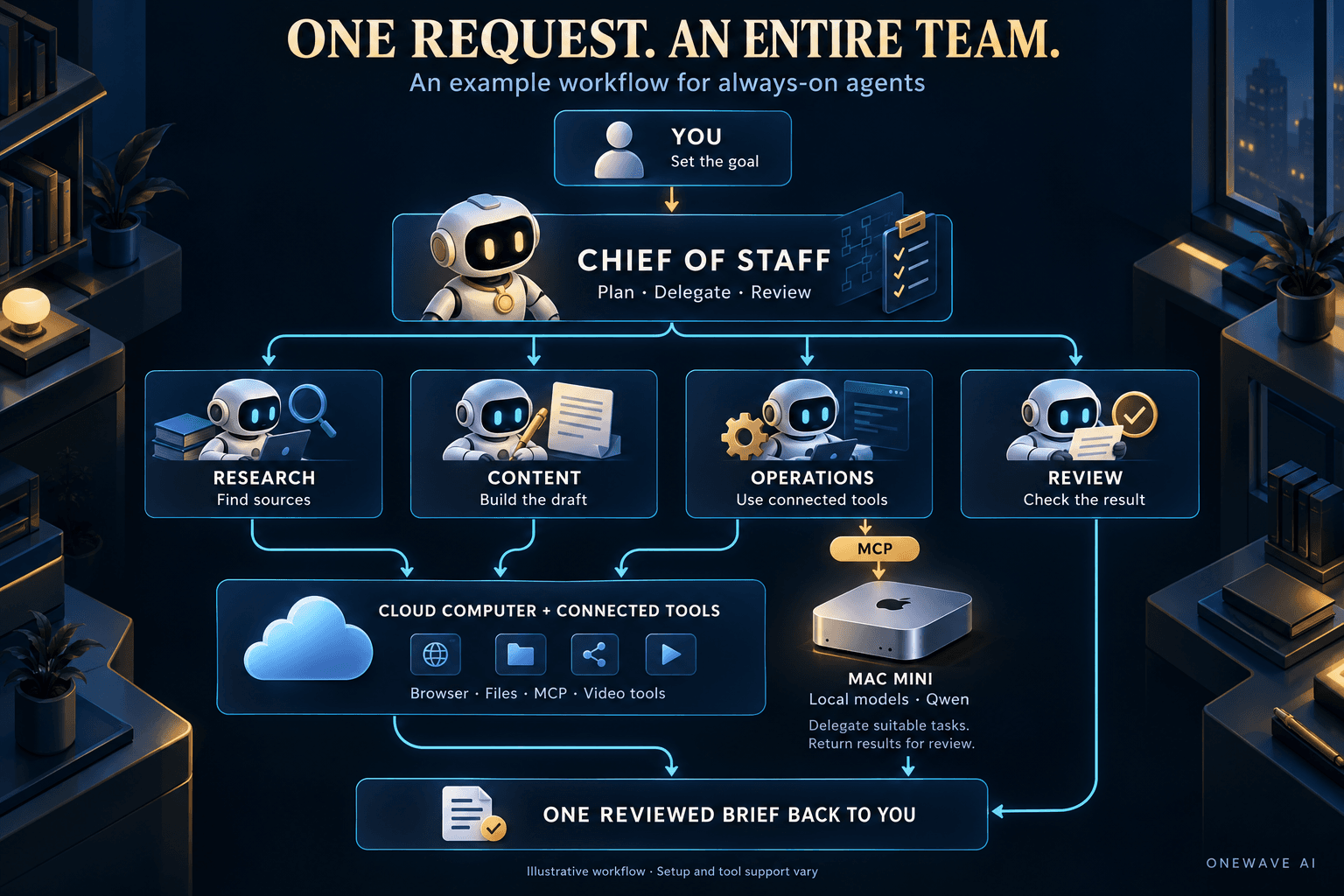
How the Mac Mini connection fits into the work
The useful idea in our founder's setup is that the always-on agent can ask another machine to do a bounded job. The cloud agent remains the place you delegate and review work. The Mac Mini provides another execution option behind a tool connection. You do not have to move your whole working relationship to a different assistant to try a local model on one part of the job.
For example, a team could evaluate local models for sorting a batch of documents, extracting fields into a fixed format, or producing a first-pass summary. These are candidate workloads, not claims that our founder has validated each one. Keep the request specific, check the output against known examples, and decide whether the quality is good enough for that job. Harder interpretation can stay with the more capable model.
The number we would care about is cost per accepted result. A local response that needs extensive rewriting may erase the benefit of avoiding hosted usage. A small extraction job that repeatedly passes your checks is a much more promising place to start. Our cloud versus local AI cost guide explains that tradeoff in more detail.
From an idea to a video, with files you can keep
Video is a good illustration of why the computer matters. A useful production workflow needs somewhere to save a script, collect assets, install dependencies, render a file, and make revisions. We want to be able to ask for a shorter opening or a different scene and have the agent continue from the project it already created.
In an environment that supports HyperFrames, a possible division of work is a researcher preparing the facts, a writer building the script, and a production bot assembling and rendering the video. A reviewer can then compare the finished output with the brief. The same structure is interesting for creative tooling and CAD: define the deliverable, choose software the environment can run, and inspect the actual exported file. A completed render or usable design is the thing to evaluate.
The Tesla connection brings the team into your day
Access to that team from a vehicle is a compelling next step. You can speak a request and hand it to a named specialist. Tesla's own documentation confirms that you can ask Grok in a supported vehicle to pass a task to a Grok Bot by name, with the required account, subscription, and connections in place. See Tesla's Grok support guide.
A tester in this Tesla community discussion described ordering coffee through voice after confirming the drink and total. It is a concrete example of the appeal: your assistant can move a task forward while you are away from your desk. We see a much bigger opportunity across vehicles, though the confirmed integration cited here is Tesla.
The interface is part of the capability
All four products deserve credit for making this approachable. A helpful interface lets you understand what is happening without learning the underlying machinery. We care about whether we can find the conversation again, correct an instruction, see what finished, and understand why something needs our attention.
Grok Bot's multiple conversations make particular sense to us because our work has multiple ongoing responsibilities. A correction about our writing style belongs with the content specialist. A question about a research source belongs with the researcher. The chief of staff needs the project-level picture. That is how we want to organize the relationship, and it is a large part of why this product feels ahead.
Someone who mainly wants one assistant for errands may prefer a simpler arrangement. We still find Duet, Dots, and Muse helpful. Our preference comes from wanting to run several streams of work at once and review them through a coordinator.
Our bet: compute will matter more as agents do more
We think this category increasingly rewards companies that can supply substantial compute. A single chat is one workload. A team of persistent agents researching, using browsers, calling tools, rendering media, and checking each other's work creates a very different demand for capacity.
Elon Musk's investment in infrastructure is part of why we take Grok Bot seriously. The company describes Colossus as the world's largest AI supercomputer. That is a claim about a system, not proof that it has more total usable compute than every competitor, or that infrastructure caused our results. Our thesis is that abundant compute can help sustain this kind of product. Our verdict comes from using it.
Capacity only becomes an advantage when the product turns it into useful work. We would judge that through completed assignments, time spent waiting, corrections required, and how often the team gets stuck. Thirty bots talking continuously can consume plenty of usage without accomplishing much. The value comes from a system that knows when to work, when to hand off, and when the job is finished.
How we would start with a team of bots
Our founder's 30-plus bots show how far you can take the idea. A useful first setup can be much smaller. Start with the email, calendar, and connected-tool review above, then have Dr. Eggbot build around one recurring responsibility. A weekly industry brief, for example, might need a researcher, an editor, and a coordinator.
- Define the result. Specify the deliverable, audience, sources, and what would make you reject the output.
- Have Dr. Eggbot build each specialist around a job. Make ownership clear enough that two bots do not spend the morning duplicating each other.
- Have the coordinator check completion. Ask for the finished work, the supporting files, and any unresolved questions in one place.
- Review a complete run. Note where you had to intervene and improve the instructions before making the workflow recurring.
- Add another bot when a distinct responsibility emerges. Grow the team around useful work you can recognize and evaluate.
This also gives you a fair way to compare the products yourself. Give each the same objective and inputs, then track the edits and coordination you have to supply. An assistant that sounds confident is easy to like. An assistant that consistently hands back work you can use is worth building around.
Duet, Dots, and Muse are all helpful, and we expect to keep learning from them. Today, for the work we want to delegate, Grok Bot is the clear winner. The difference maker is a chief of staff that can manage a team of bots, with the computers and connections to get things done.
Want to build a useful agent workflow for your team? Talk to OneWave AI about the work you want to hand off.